Deleting the 365 Alert OAI App
This section describes the procedure for deleting the 365 Alert OAI app.
-
With an administrator account, sign in to the Microsoft Entra admin center from the following URL.
-
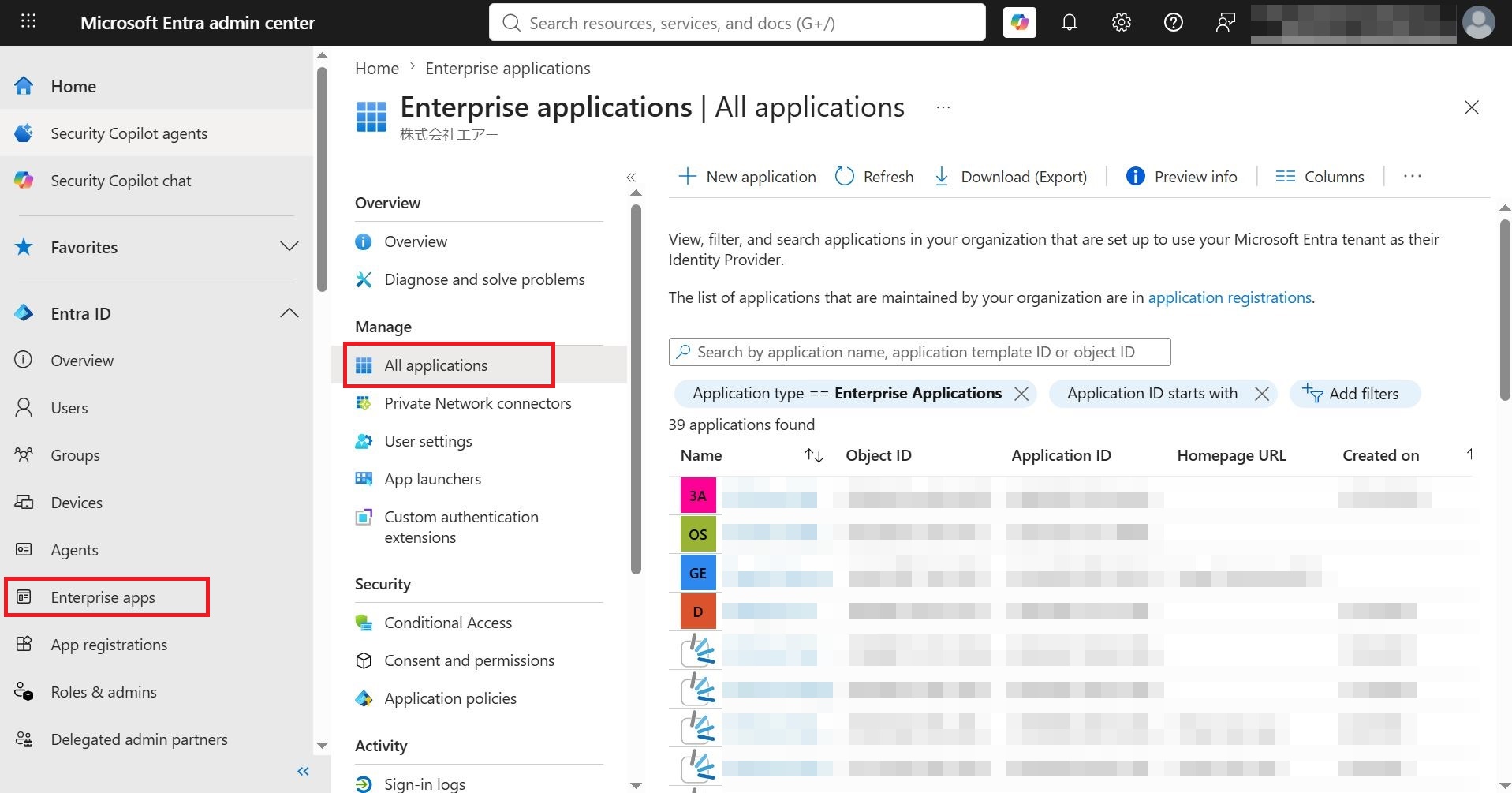
From the menu on the left of the screen, click Enterprise applications, and in the displayed screen click Manage > All applications.
-
Enter
365 Alert OAIin the search box and click 365 Alert OAI in the results.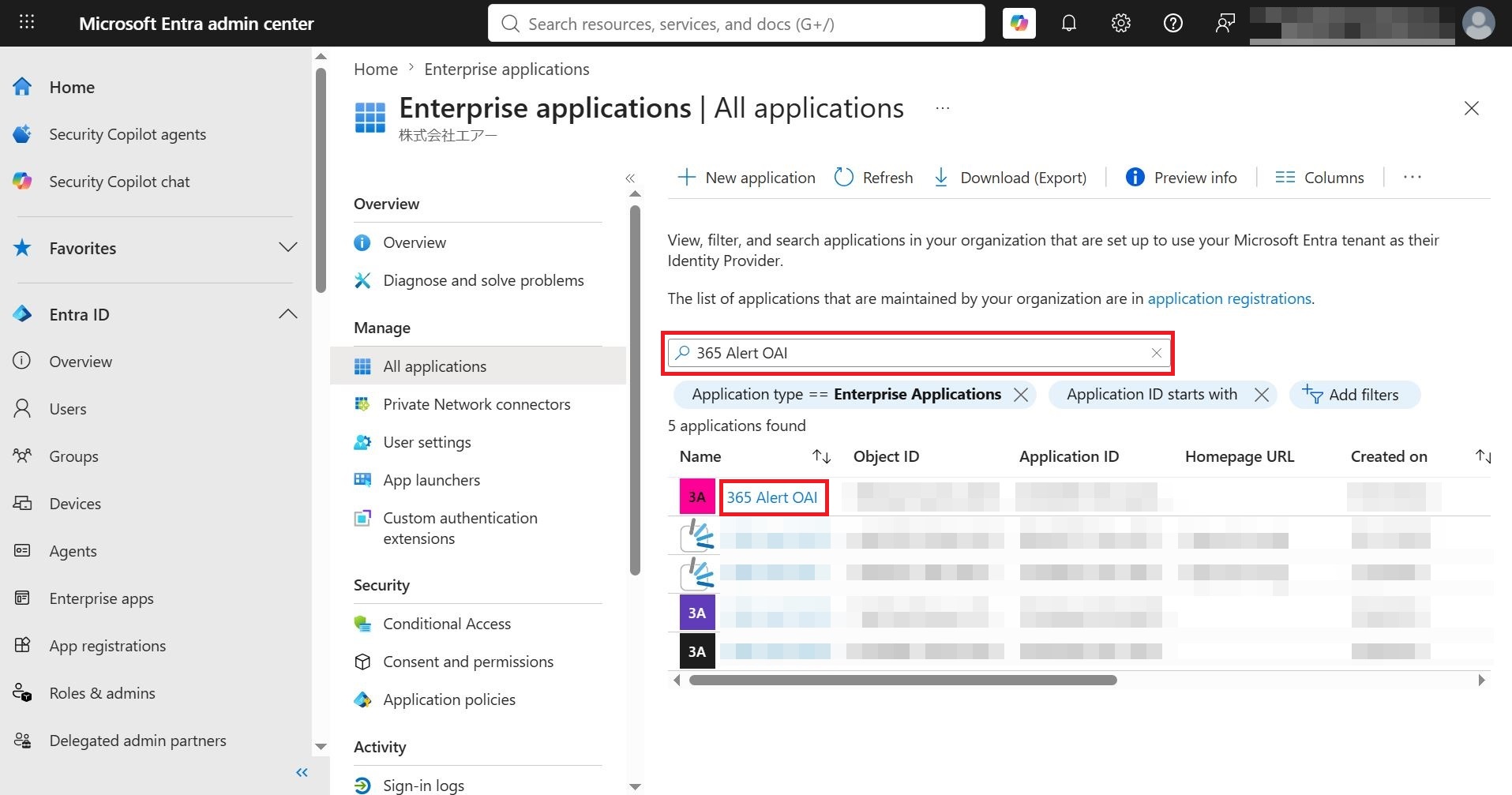
-
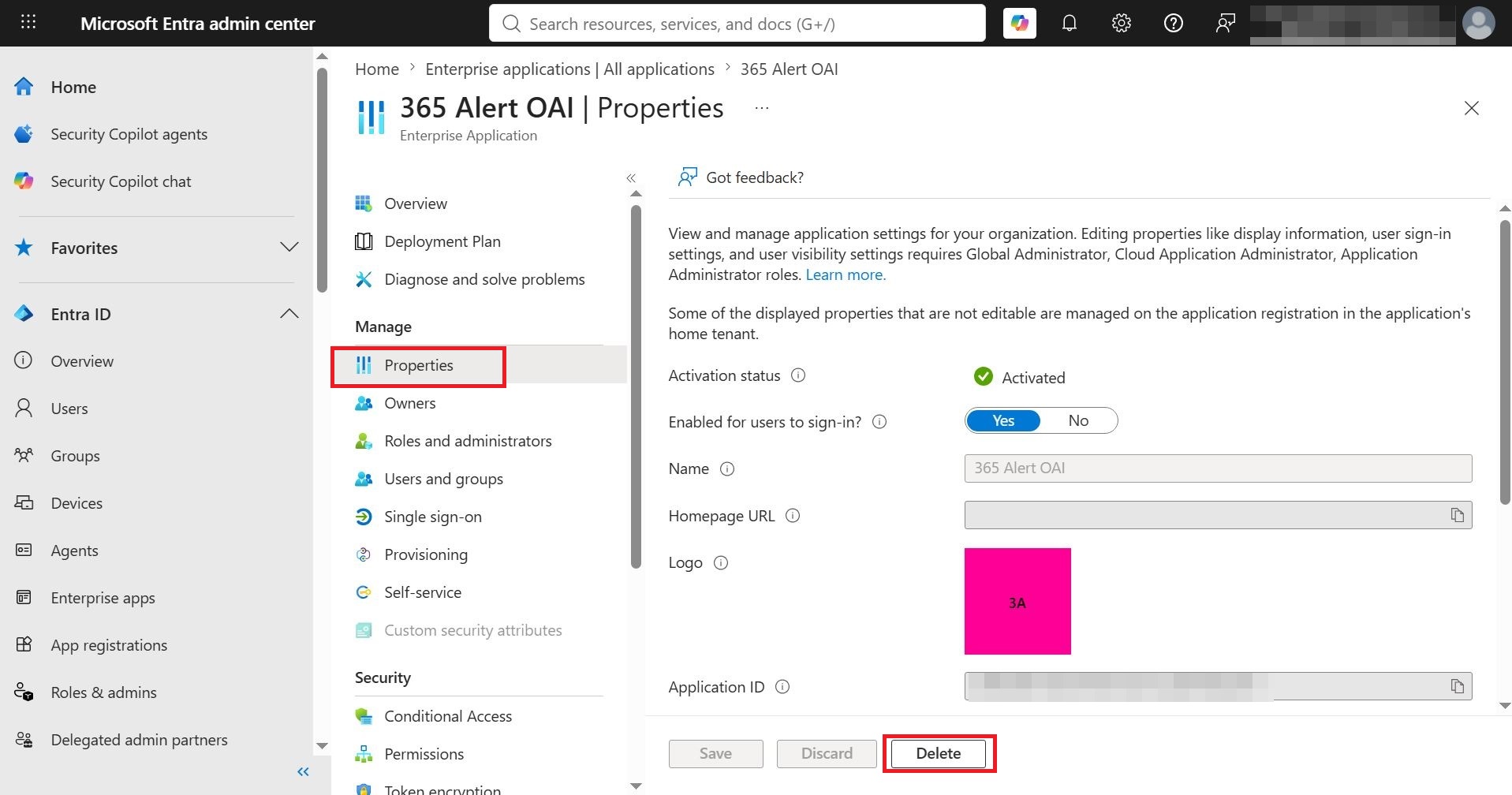
Click Manage > Properties, and in the displayed screen click Delete.